Is Honista APK Available for iPhone? Here's the Straight Answer
No, the Honista APK cannot be installed on an iPhone. Honista is distributed as an Android APK, while iPhones use Apple’s iOS app system. Changing the APK file or using an APK-to-IPA converter does not make it compatible with iOS. On Android instead? Start with the Honista APK download and setup steps.
If you searched for “Honista APK for iPhone” or “Honista iOS,” you may find websites making different claims. This guide explains why the Android APK does not work on iPhone, what to check before downloading anything advertised as a Honista iOS version, and what iPhone users can do instead.
Is Honista Available for iPhone? The Short Answer
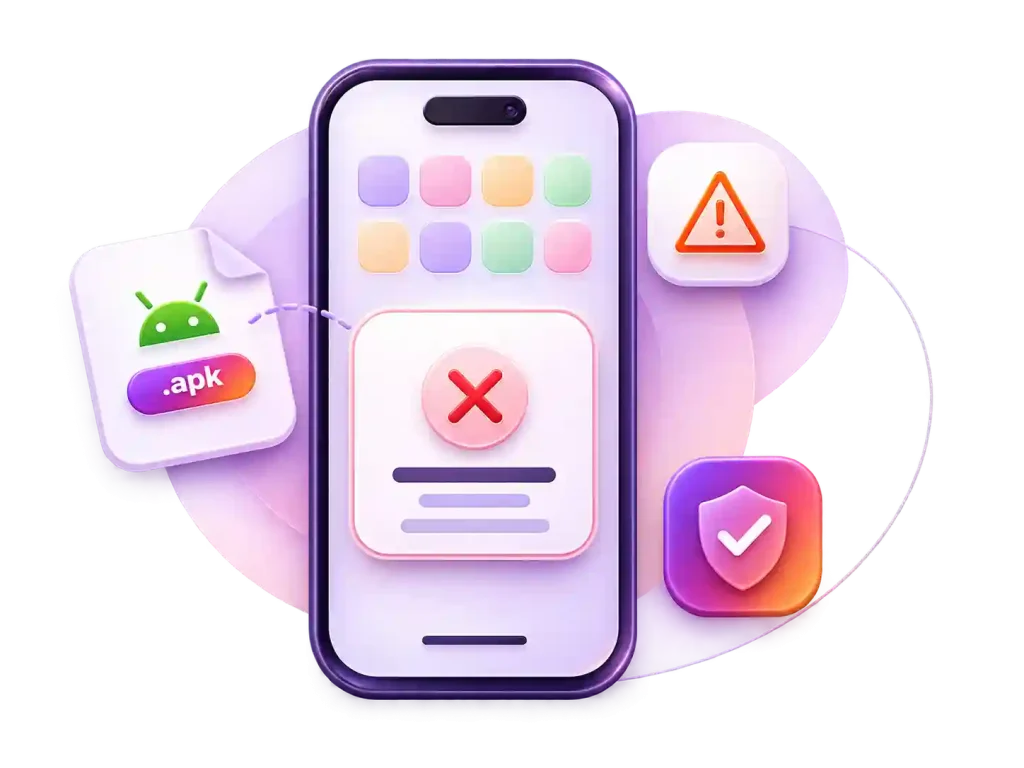
Honista is distributed as an Android APK, so the APK itself cannot be installed directly on an iPhone. Android and iOS use different app formats and installation systems.
If you search for “honista apk download ios,” you may find websites claiming to offer an iPhone version. Before using one, check whether the page provides verifiable information about the iOS app, its developer, and its installation method.
honista apk download ios
Why People Search for a Honista iOS Version
Many users search for an iPhone version because they want the extra customization, privacy, or media features available in some Honista Android builds. However, an Android APK cannot simply be installed on iOS, so an actual iOS release would need to be developed specifically for Apple’s platform.
Why Doesn't Honista APK Work on iPhone?
The main reason is that APK files are designed for Android, while iPhone apps use Apple’s iOS app system. Android users with older phones can pick from the Honista APK old version list.
APK Is an Android-Only File Format
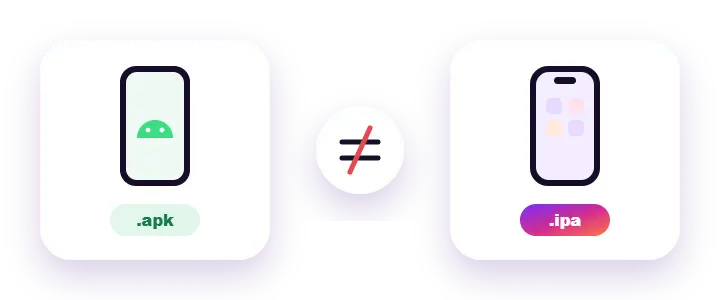
APK stands for Android Package Kit and is the package format used to install Android applications. An iPhone does not use APK files to install apps.
iPhone Apps Use a Different App Format
iOS applications are distributed through Apple’s app ecosystem using formats and signing systems designed for iPhone and iPad. An Android APK is not an iOS application and cannot be installed as one.
Renaming an APK Does Not Make It an iPhone App
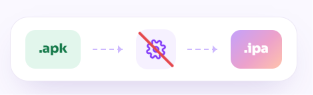
Changing the file extension from “.apk” to “.ipa” does not convert the application. The underlying Android code remains unchanged, so the iPhone still cannot install it as a native iOS app.
Can an APK File Be Converted to Work on
iPhone?
No simple APK-to-IPA conversion can turn an Android application into a working native iOS app. A genuine iOS version would require the application to be developed or ported for Apple’s platform.
What About APK-to-IPA Converter Tools?
Websites claiming to automatically convert an APK into an iPhone app should be treated cautiously. A file-extension change or simple conversion process does not rebuild Android application code for iOS.
A Working iOS Version Requires Separate Development
To provide the same application on iPhone, developers would need an iOS-compatible version with code and components designed for Apple's platform. It is not simply a matter of changing the APK file into another format.
Are There Honista iOS Downloads Online?
Search results may contain pages advertising “Honista for iOS” or “Honista IPA.” The existence of such a page does not by itself prove that it contains a genuine iOS version.
Before installing anything, check who provides the file, what version it claims to be, how it is installed, and whether the developer has published verifiable information about an iOS release.
Be Careful With Apple ID Requests
Never provide your Apple ID password to an unknown download website. Apple account credentials should only be entered through Apple's normal account and authentication interfaces.
Common Red Flags to Watch For
A page asks for your Apple ID password before providing the download
You are asked to install an unknown configuration profile
The page provides no clear developer or version information
Download buttons redirect to unrelated pages
The claimed iOS version has no verifiable release information
What Can iPhone Users Do Instead?
There is no need to look for an Android APK if your goal is only one specific Honista feature. Sites promising an iOS build are exactly the risk discussed in is Honista APK safe.

Use Honista on an Android Device
If you have access to a compatible Android phone, you can use the Android version there. Your Instagram account can be accessed from different supported devices, although account activity and app compatibility can vary.

Keep Using Instagram on iPhone
The official Instagram app for iPhone provides standard features such as posts, Stories, Reels, messaging, and account management. If you mainly use Instagram for normal social-media features, the iOS app covers those functions without needing an Android APK.

Find iOS-Compatible Tools for Specific Features
If you are interested in one particular Honista feature, such as saving media or changing how you use Instagram, look for an iOS-compatible tool designed specifically for that task instead of trying to install an Android APK.
Can You Use the Same Instagram Account on iPhone and Honista?
Search results may contain pages advertising “Honista for iOS” or “Honista IPA.” The existence of such a page does not by itself prove that it contains a genuine iOS version.
Before installing anything, check who provides the file, what version it claims to be, how it is installed, and whether the developer has published verifiable information about an iOS release.
For slower Android devices, Honista Lite vs Honista explains which build to choose.
Check APK File Details and Android Permissions
Yes, an Instagram account can generally be accessed from different supported devices. You can use Instagram on an iPhone and access the same account on an Android device.
However, account restrictions and login checks can depend on Instagram’s current policies and account activity. If Instagram asks you to verify your identity or shows a security message, follow the instructions provided by Instagram.
t isn’t on the App Store or Google Play — the full answer is in is Honista on the Play Store.
What Should iPhone Users Avoid?
Do not assume an APK can be installed directly on an iPhone
Do not rely on APK-to-IPA converter claims
Do not install unknown configuration profiles
Do not enter your Apple ID password on an unknown download page
Do not enter Instagram credentials into unrelated websites or pop-ups
Check the developer, version, and installation method before using an alleged iOS build
Frequently Asked Questions
Does Honista have an official iPhone app?
Honista is distributed as an Android APK. An APK itself cannot be installed on an iPhone. If you find a page claiming to offer an iOS version, verify the developer and release information before using it.
Can I install a Honista APK file on my iPhone?
No. An APK is an Android application package and cannot be installed directly on iPhone.
Can I convert Honista APK to IPA?
No simple file conversion can turn an Android APK into a working native iOS application. A genuine iOS version requires development for Apple’s platform.
Is there a real way to get Honista features on iPhone?
The exact options depend on the feature you want. You can use the official Instagram app on iPhone, look for an iOS-compatible tool for a specific feature, or use Honista on a compatible Android device.
Are "Honista for iOS" download links genuine?
Do not assume that an online “Honista for iOS” download is genuine simply because the page uses that name. Check the developer, version information, installation method, and source before installing anything.
Will Honista ever be available for iPhone?
A future iOS release would require a version developed specifically for Apple’s platform. Unless the Honista developers publish a verified iOS release, there is no Android APK that can provide the same installation on iPhone.
Final Thoughts
Honista is distributed as an Android APK, so you cannot install the APK directly on an iPhone. Renaming the file or using a simple APK-to-IPA converter does not turn it into an iOS application. iPhone users still get most of these features through official apps — see Honista vs Instagram.
If you use an iPhone, you can continue using the official Instagram app, look for an iOS-compatible tool for a specific feature, or use Honista on a compatible Android device. Before installing anything advertised as “Honista for iOS,” check the developer, version details, and installation method carefully.